Viewer Wallet Guide
Tessera uses Circle User-Controlled Wallets (UCW). Viewers sign in in the browser with email OTP or Google (Facebook if the instance enables it). No browser extension and no seed phrase.
1. Creating Your Wallet
Open exclusive content or the tip button. The overlay asks you to sign in.
Continue with Google, or enter your email and Send email code. Facebook appears when the instance has configured it.
Email: enter the one-time code Circle sends, then Verify code. Google: approve the Google window (the page may cover while it returns).
First time, Circle opens a confirmation window (needs_creation). Confirm it. Tessera then shows your Arc SCA address.
Sign in again with the same email or Google account.
2. Funding & Depositing
Fund the SCA with USDC on Arc Testnet, then deposit into Gateway to watch or tip.
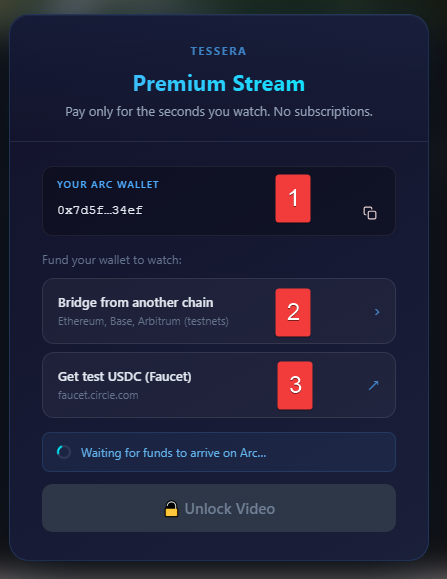
- Your Arc Wallet: SCA address. Copy it with the clipboard icon.
- Bridge USDC: Circle CCTP from Ethereum Sepolia, Base Sepolia, or Arbitrum Sepolia (MetaMask).
- USDC Faucet: faucet.circle.com. Choose Arc Testnet.
Then pick a Gateway deposit amount (1 / 5 / 10 USDC or custom) and Unlock Video or Enable Tipping.
How to use the Faucet
Show Faucet Step-by-Step
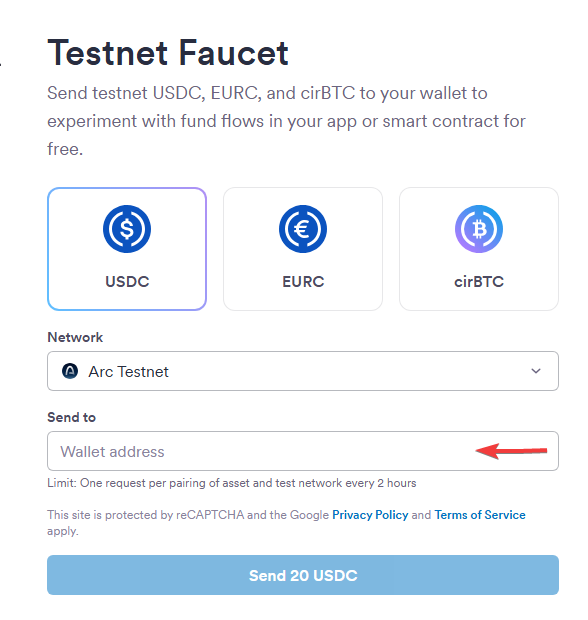
- Copy your Arc address from the overlay.
- Paste it in the faucet Wallet Address field.
- Network: Arc Testnet.
How to use the Bridge (CCTP)
Show Bridge Step-by-Step
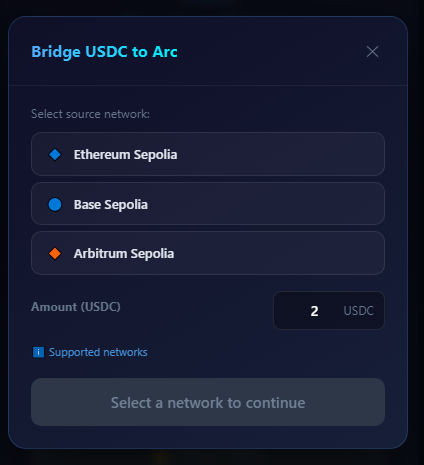
- Select the testnet where you already have USDC.
- Enter the amount (minimum 0.1 USDC).
- Confirm approve/burn in MetaMask. Circle Forwarding mints on Arc to your SCA.
3. Cashing Out
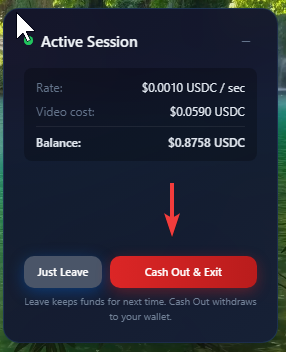
Exclusive sessions show Just Leave and Cash Out & Exit:
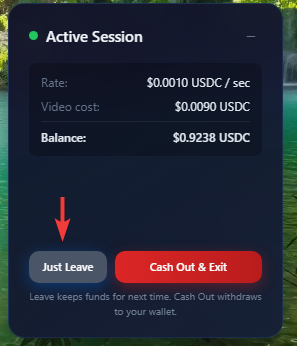
- Just Leave: Stops billing (
POST /end-session). Unused Gateway USDC stays for the next watch. - Cash Out & Exit: Withdraws leftover Gateway USDC to your SCA (
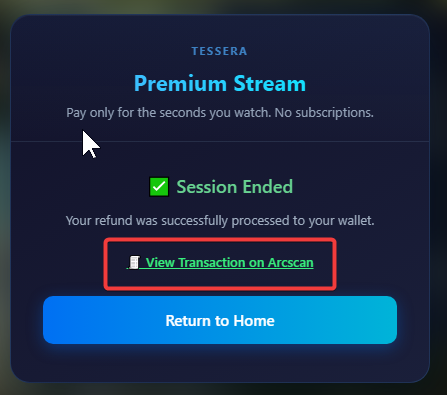
POST /cash-out). The overlay polls the Circle challenge, then links the tx on Arcscan.
The tip widget uses Cash Out & Exit the same way.