How to get your Circle App ID
This tutorial explains how to locate your App ID in the Circle Developer Console. Tessera uses the App ID on the frontend so the Web3 Services SDK can initialize the Circle-hosted UI for wallet creation (email OTP and social login screens).
Step-by-Step Guide
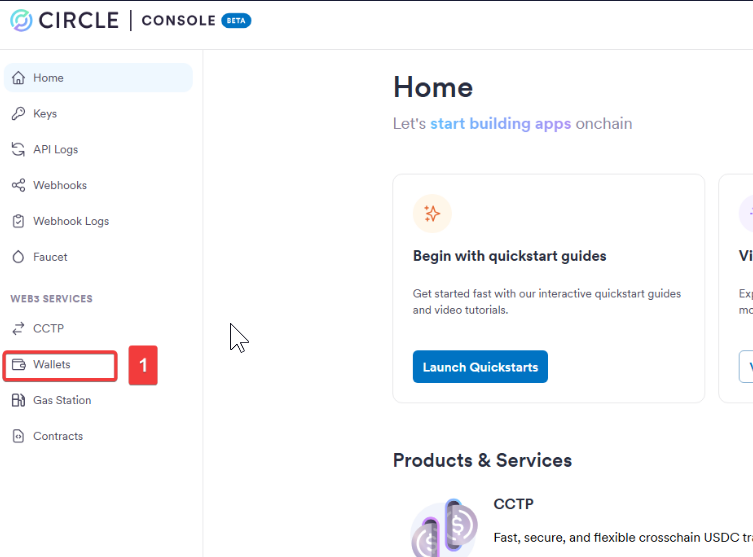
Step 1: Navigate to Web3 Services
From your Circle Console dashboard, navigate to the Web3 Services section in the sidebar.
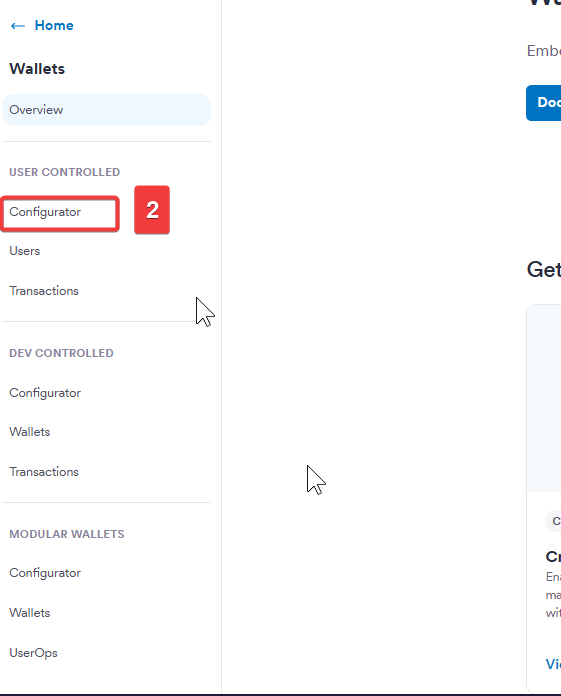
Step 2: Select User Controlled
Under Web3 Services, select the User Controlled wallets option.
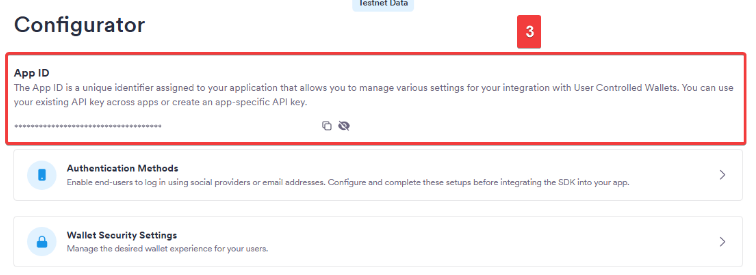
Step 3: Copy Your App ID
You will see your application listed along with its unique App ID. Copy this value and paste it into your .env file as CIRCLE_APP_ID.
Next: With both your API Key and App ID secured, return to the Quick Start guide to finalize your sidecar setup.