Payment Models
The platform plugin picks one mode per resource: exclusive (per-second) or free (manual tip).
| Mode | Plugin UI | Billing |
|---|---|---|
| Exclusive | initPaywall() |
HMAC sessions/start then sessions/stop. Sidecar pays ratePerSecond each second. |
| Free | initTipMode(creatorWallet, amount) |
Browser POST /v1/tips when the viewer taps tip. No lock, no start. |
Fields, HMAC, and userId: Connector spec. Fees and Gateway: Architecture.
Exclusive (per-second)
Use this for video, live, or audio while it plays.
- Overlay locks the player (
initPaywall) until the viewer funds Gateway (prepare-deposit) and unlocks. - Plugin POSTs HMAC
sessions/startwithratePerSecondandpayoutAddress. - Each second the sidecar runs
GatewayClient.payto the creator (and optionalsplits). - HMAC
sessions/stopor overlay Just Leave (POST /end-session) stops billing. Unused USDC stays in Gateway. - Cash Out & Exit (
POST /cash-out) withdraws leftover Gateway USDC to the viewer's SCA.
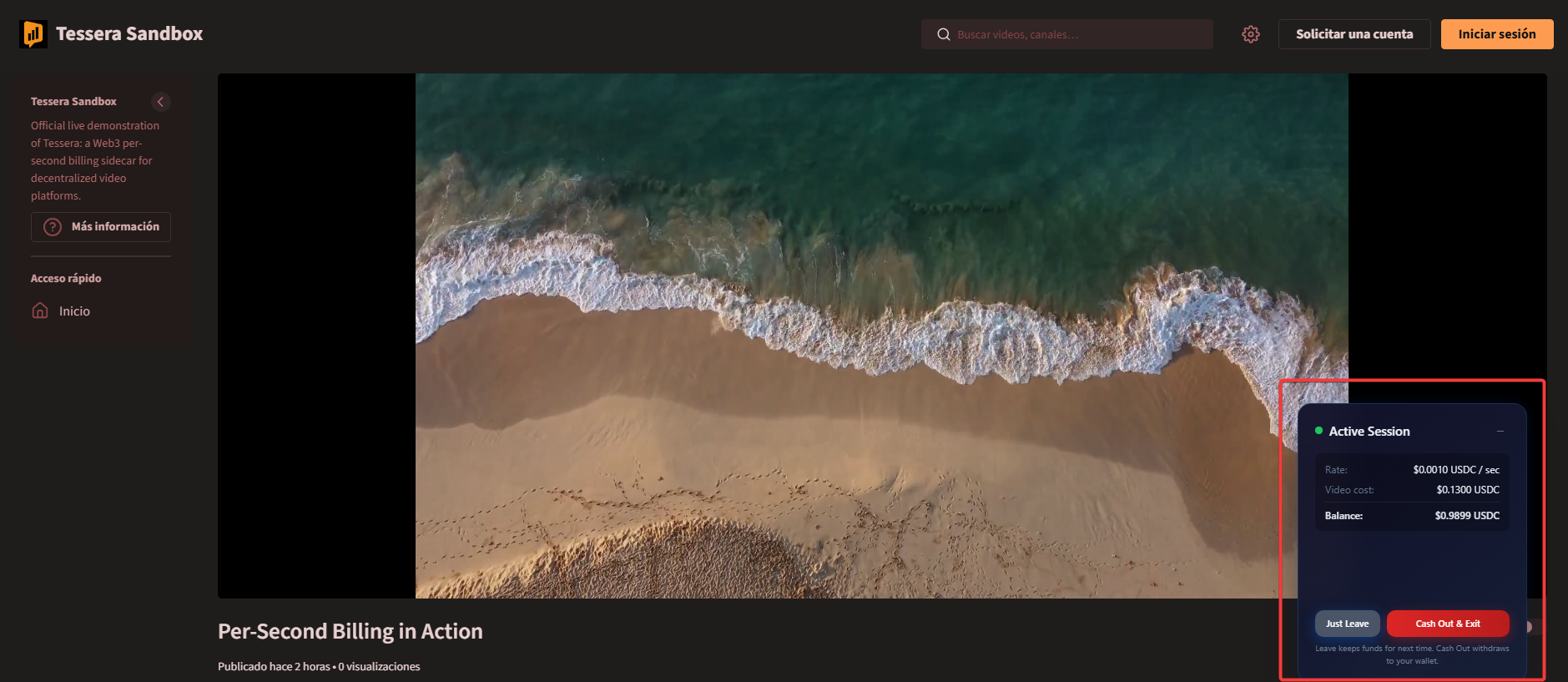
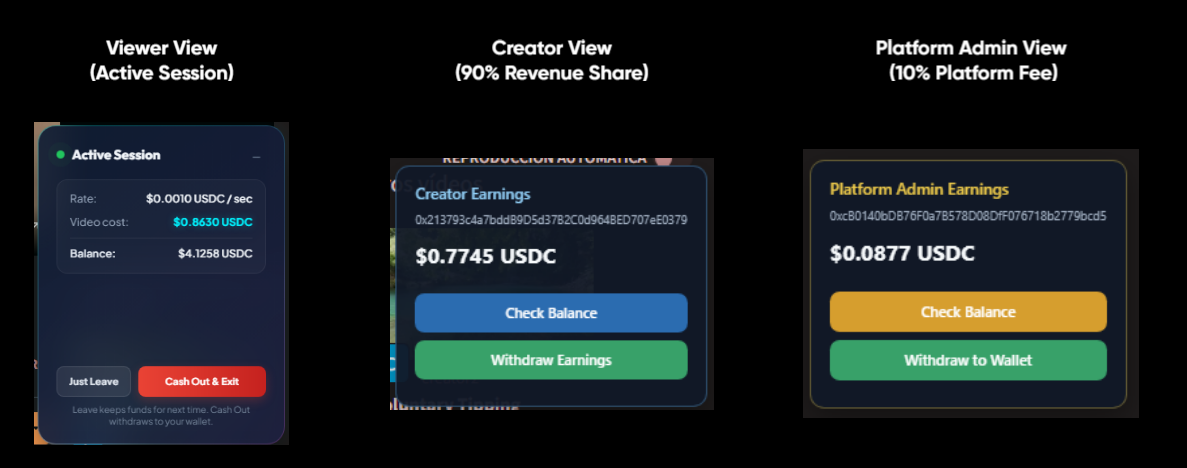
The Active Session widget shows rate, video cost, and balance. Cost between refreshes is seconds × rate. Every 5 seconds the overlay reads session-status and session-balance.
start can include splits (each { address, fraction }, sum <= 1). Remainder goes to payoutAddress. Tips have no splits.
Free (manual tip)
Use this for photos, posts, or any item tagged tessera:free.
- Overlay does not lock media (
initTipMode). - Viewer funds Gateway, then taps the tip button.
- Each tap POSTs
/api/core/v1/tipswith Circle proof. The sidecar pays thatamounttopayoutAddressimmediately. - Cash Out & Exit withdraws leftover Gateway USDC to the SCA, same as exclusive.
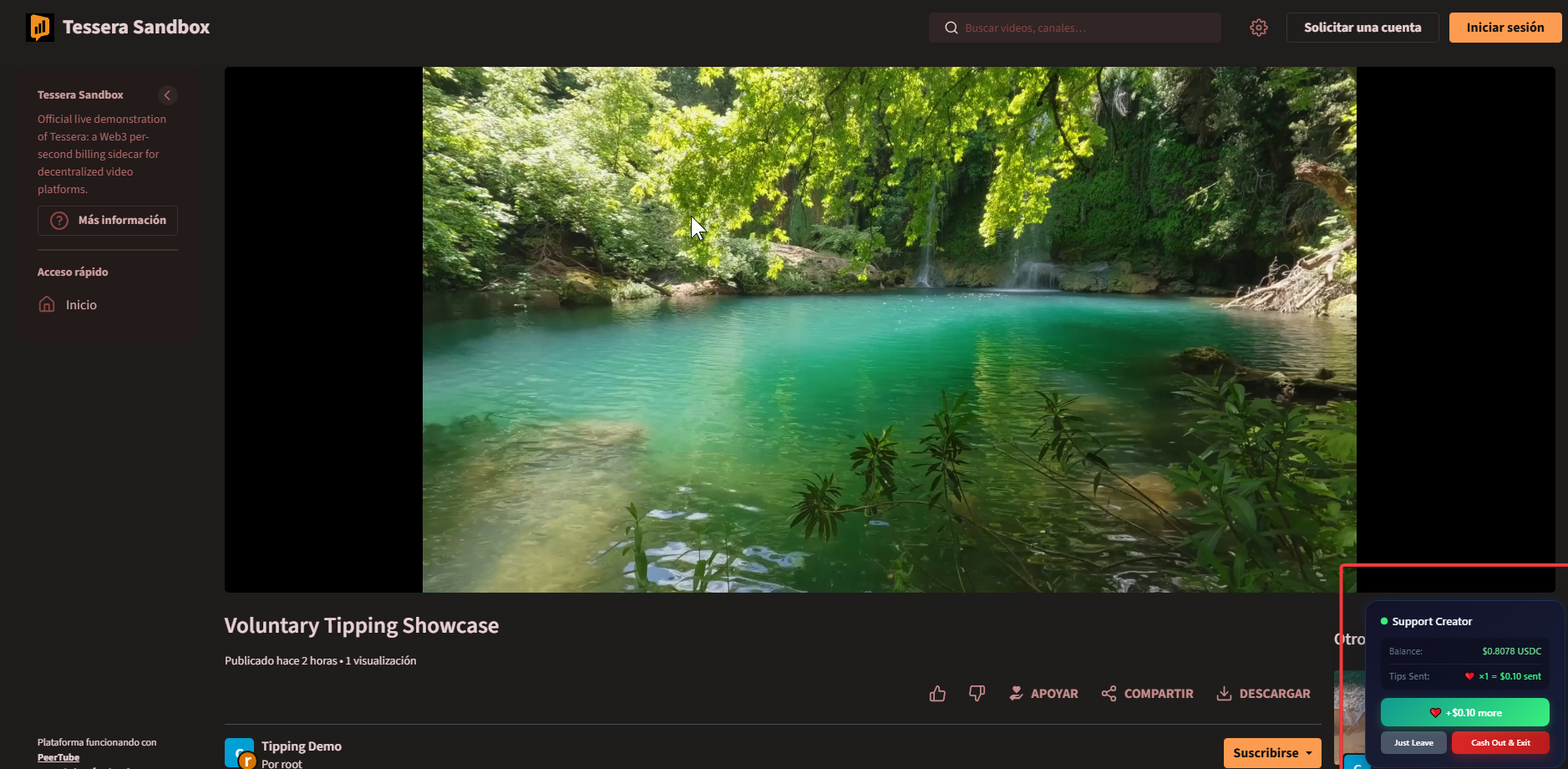
The Support Creator widget shows Gateway balance and tips already sent. It refreshes balance every 5 seconds.